Unique Hero and section generator

Free Flow Hero & Section Studio: hero section design you shape by hand.

Hero section design usually starts from a template. I built this studio so you can start from a shape instead: drag organic wave forms, place cut-out objects, write the copy and tune every device, right in your browser. Then export it to WordPress.

4
Wave forms per hero
20
Objects per hero
20
Designer palettes
4
Device views
Live sketch · form paths
Ochre Studio

A small live sketch of the Form paths tab. Drag a point, or focus it and use the arrow keys. The full studio adds content blocks, objects, cards, shapes and device views.

The studio

One canvas for the whole hero.

The stage is always 1906 px wide and you set the export height. Pick a preset, then edit forms, content, objects, cards and shapes right where they sit.

Free Flow Hero & Section Studioapp.motion-modules.com/hero-freeflow.html
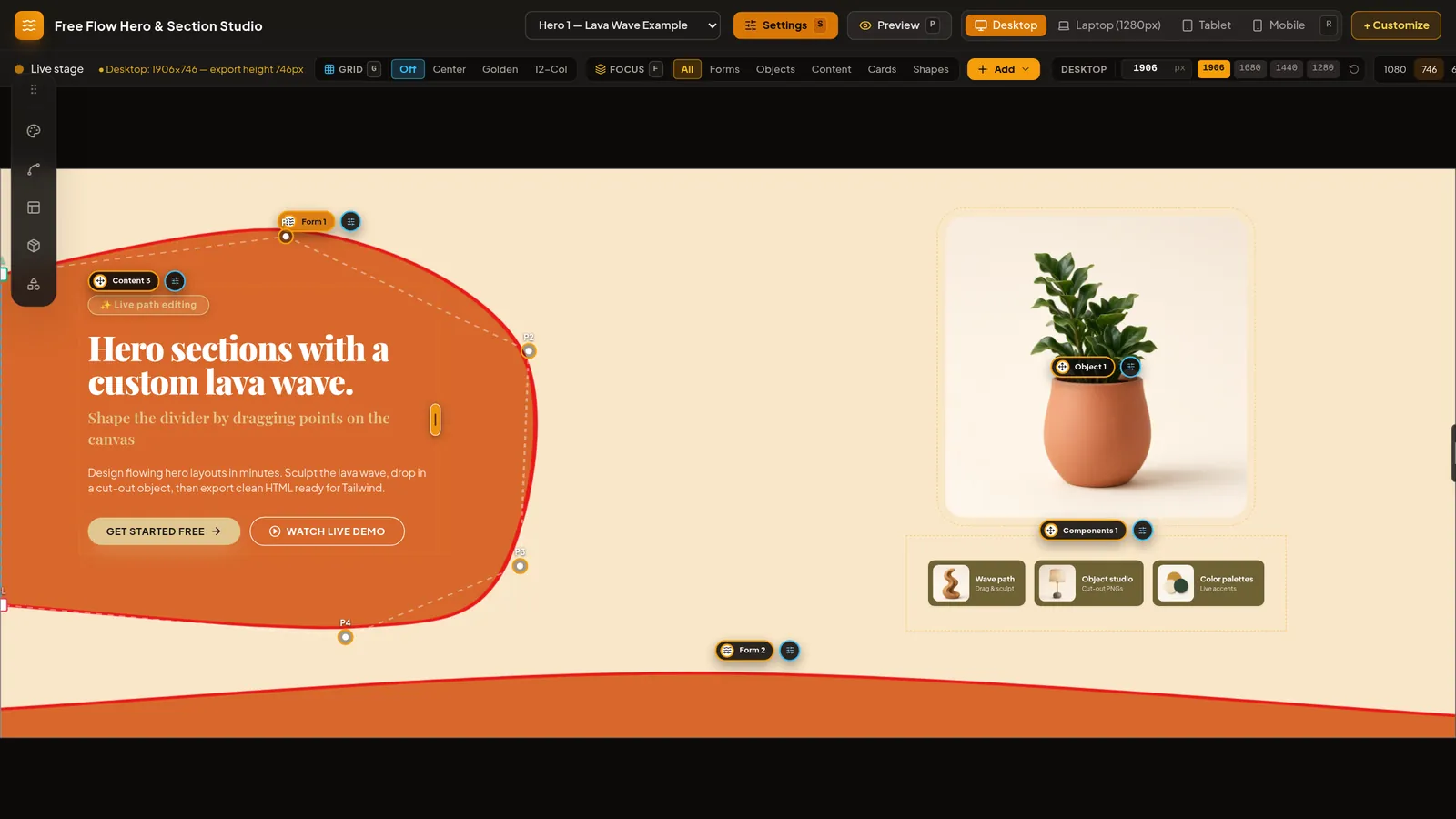
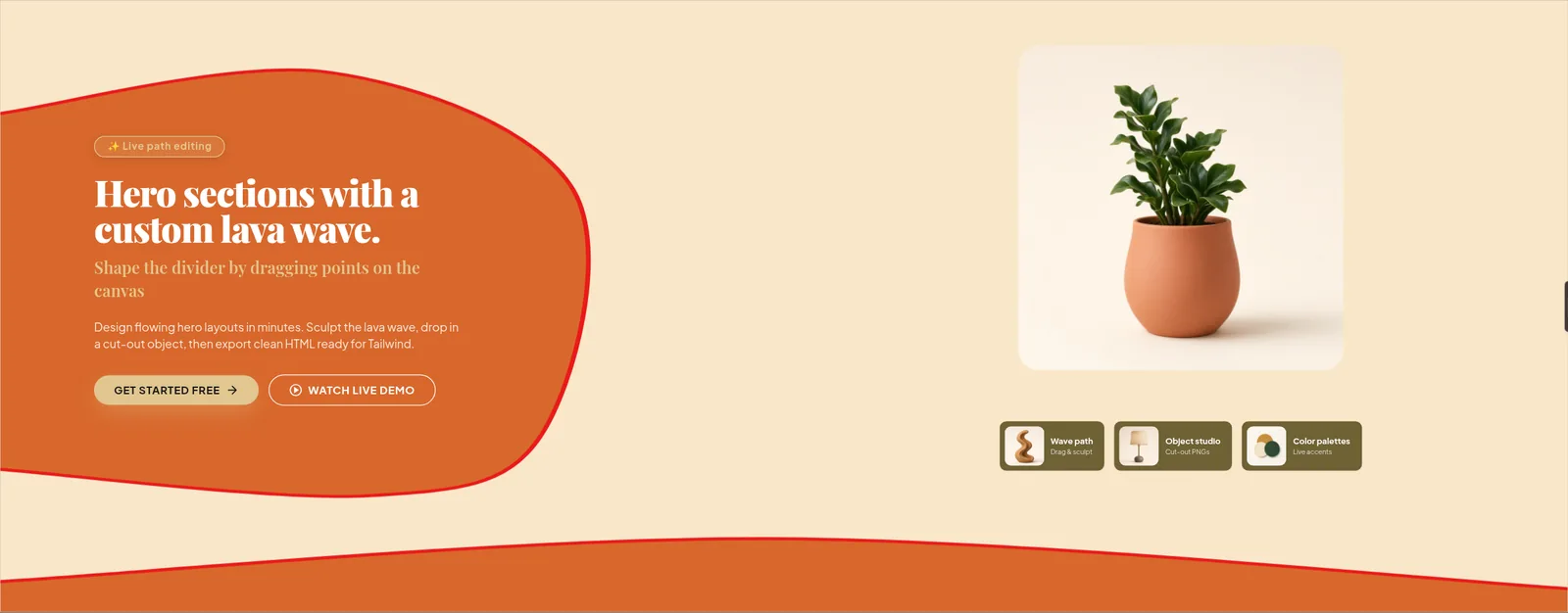
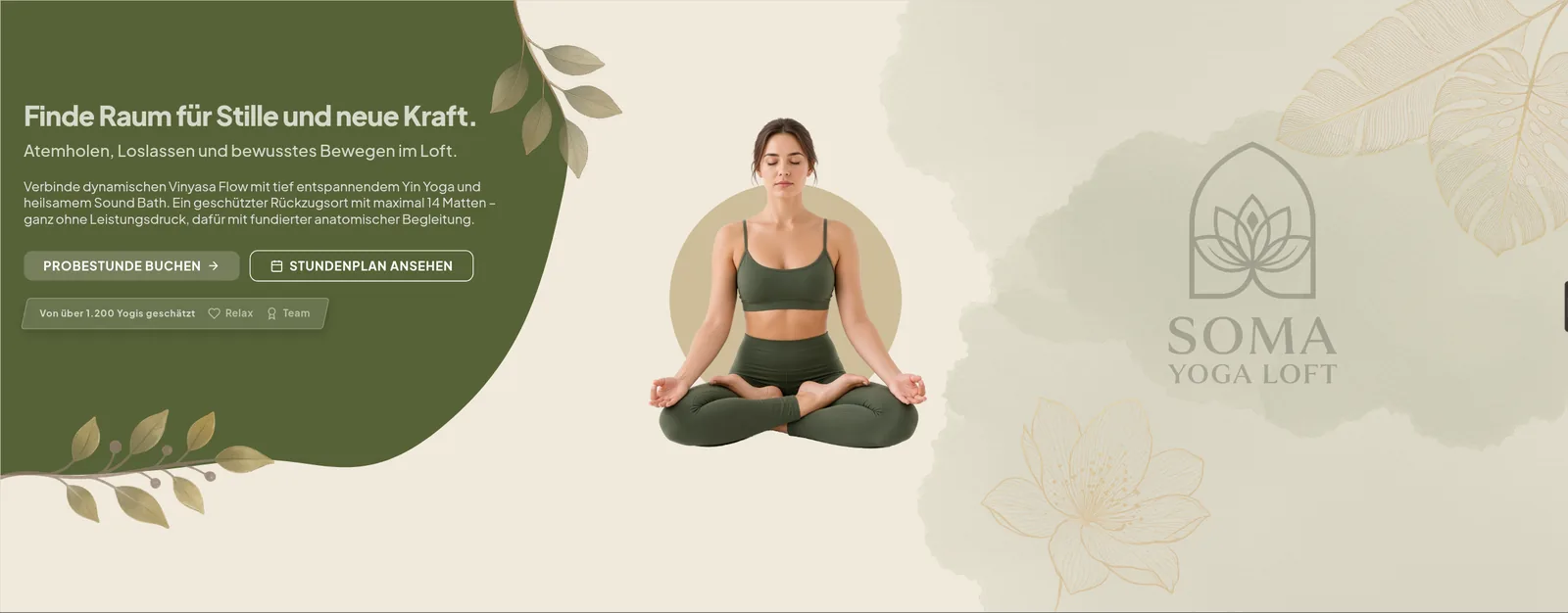
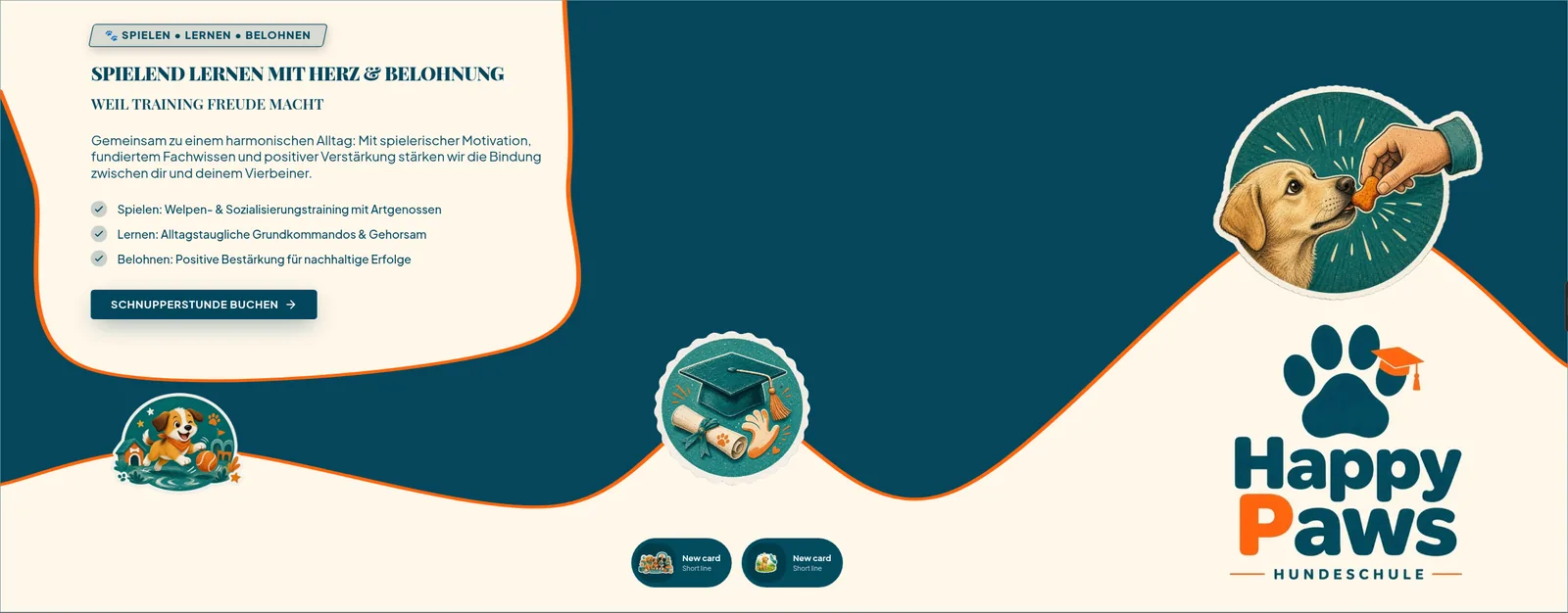
Hero 1, Lava Wave preset: an orange lava form with headline, buttons, a potted plant object and three feature cards Hero 2, Yoga Loft preset: a green organic form with botanical objects, a yoga portrait and a logo Hero 3, Dog School preset: a framed content block over a deep blue wave with illustrated objects and a logo

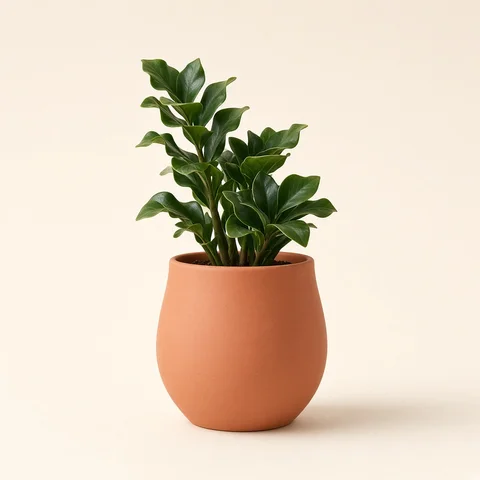
Hero 1, Lava Wave: one warm form, a cut-out plant and three cards. All three presets ship with the studio.

Hero section design

Why the hero deserves its own tool.

Hero section design decides in a few seconds whether a visitor keeps reading. Most page builders give you a box, a background image and a heading. That works as a start, but it makes every hero look like the next one.

Free Flow Hero & Section Studio works the other way round. You start with the shape of the section: organic wave forms with up to 10 path points each, smoothed as Catmull-Rom curves and anchored to the corners or edge midpoints of the stage. Content, cut-out objects, cards and closed shapes then sit on top of that shape, each one placed freely.

Every position and size can differ per device. A hero that feels calm on a 1906 px desktop can be rearranged for tablet and mobile without starting over, and every form, content block and object can be shown or hidden per device.

The same studio also designs sections further down the page: a soft wave that flows into your services, a framed product shot, a trust bar with logos. That is why I call it a hero and section studio. When the layout works, you export it as JSON and import it into your page builder.

What it can do

Every layer of a hero, editable.

Five settings tabs and a live stage. These are the real controls of the studio, shown in its own interface.

Form paths

Draw the wave, not a rectangle.

  • Up to 4 forms per hero, each with up to 10 path points
  • 8 fill presets anchor a form to corners or edge midpoints
  • Curve tension from very soft to dynamic
  • Edge line: none, 1.5 px, 3 px or 6 px with its own color
  • Live motion: a gentle looping deformation per form
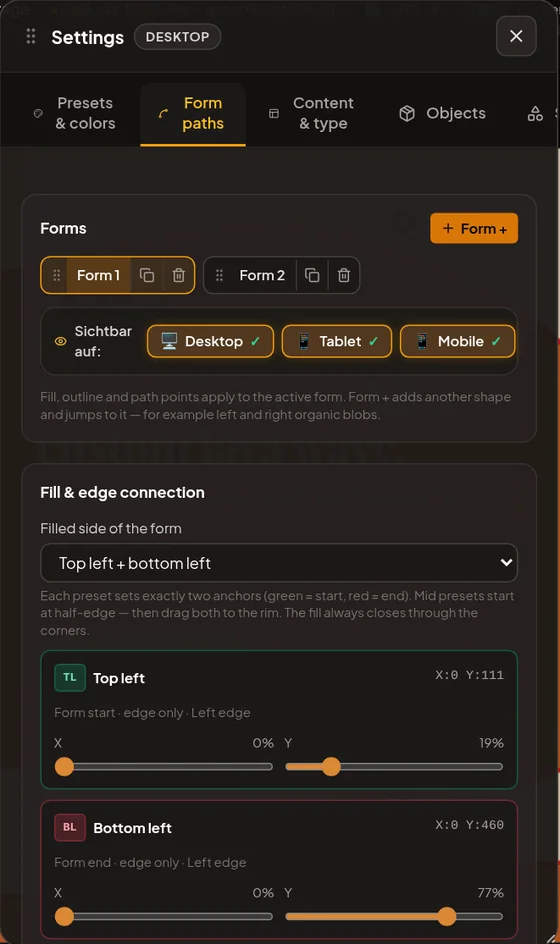
Form paths tab with the forms list, device visibility and fill and edge connection anchors
Content and type

Copy that sits where it should.

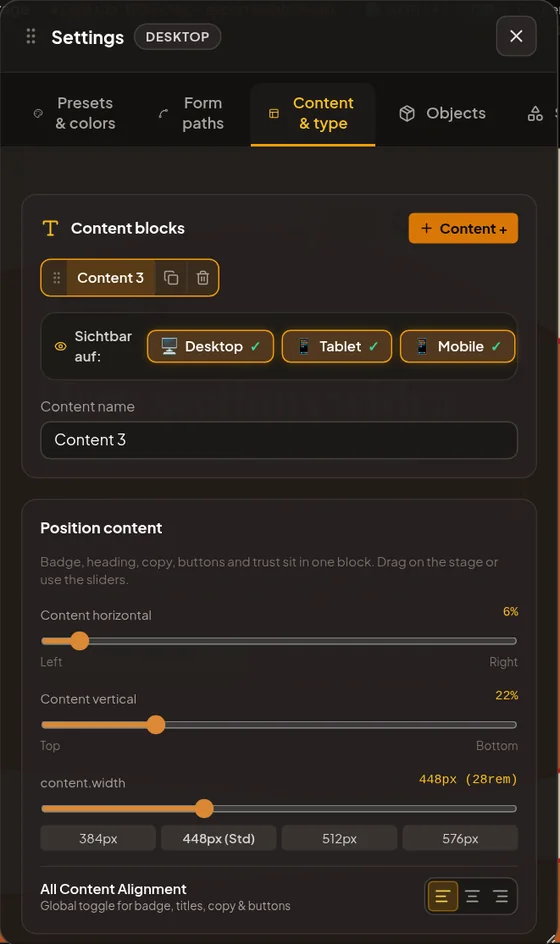
  • Up to 6 content blocks with badge, headline, subline, body copy and bullets
  • 5 badge shapes: classic pill, tech bracket, status dot, velocity slant, liquid glass
  • 8 headline fonts, or inherit your WordPress theme font
  • Two buttons with icon, glow, corner radius, link and new tab option
  • Trust banner with label and partner logos
Content and type tab with content blocks, position sliders, content width and alignment
Objects

Cut-out objects anywhere on the stage.

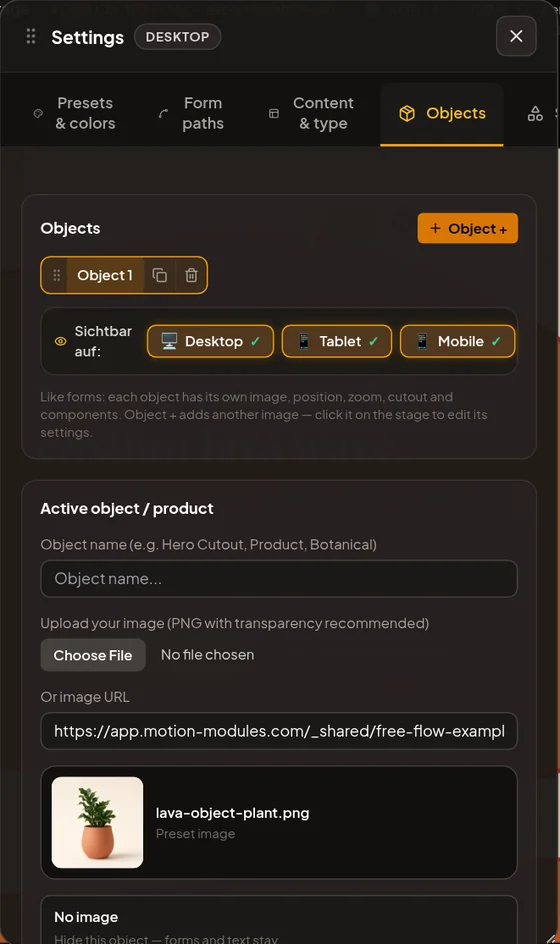
  • Up to 20 objects from an upload, an image URL or a preset
  • Zoom, rotation, transparency, darkening overlay and gentle float
  • Transparent mode drops tile, shadow, frame and corner radius
  • Cards and a carousel per object, up to 6 cards with image or icon
Objects tab with the object list, upload, image URL and a preset image
Shapes

Closed shapes and frames.

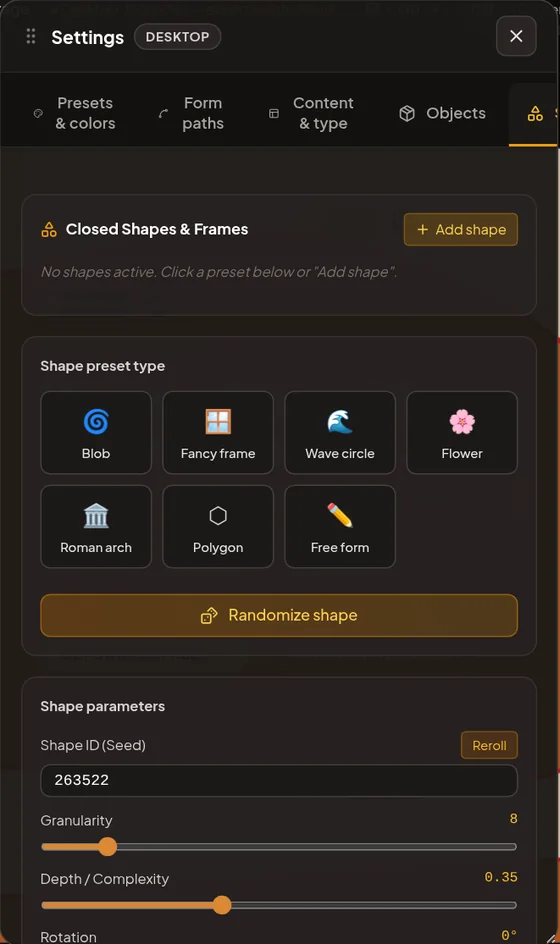
  • Blob, fancy frame, wave circle, flower, Roman arch, polygon and free form
  • Exact bases: circle, rectangle, triangle, diamond, hexagon and star
  • Seed based randomize and reroll
  • Morph edge, breathe, swing and rotate, floating drift, freely combinable
  • Fill with a color or an image
Shapes tab with the presets blob, fancy frame, wave circle, flower, Roman arch, polygon and free form
Presets and colors

20 designer palettes, one click.

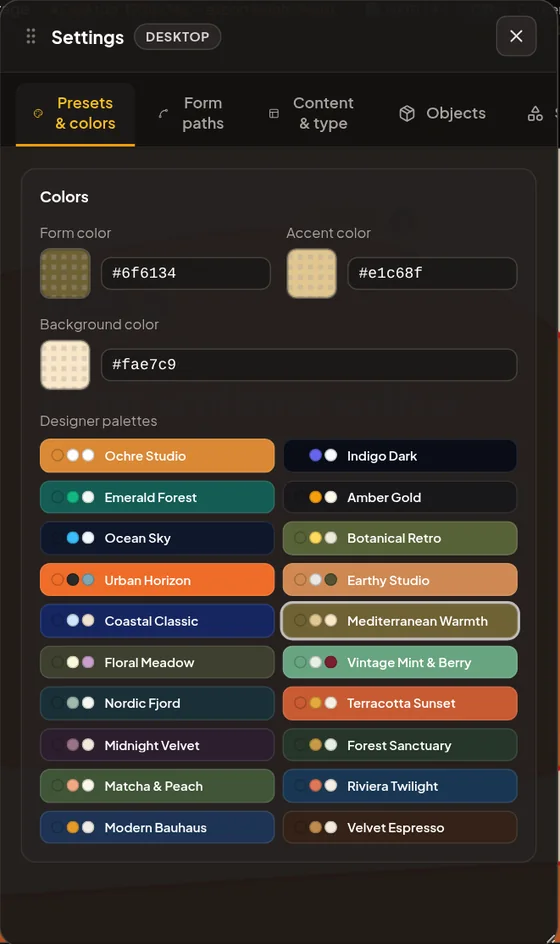
  • Form, accent and background color
  • 20 designer palettes, from Ochre Studio to Velvet Espresso
  • A fill color override for each single form
Presets and colors tab with form, accent and background color and 20 designer palettes
Live stage

A stage built for layout work.

  • Grids: center axis with quadrants, golden ratio and rule of thirds, 12 column web grid
  • Focus one layer: forms, objects, shapes, content or cards
  • Shortcuts: S settings, P preview, R resolution, G grid, F focus
  • Saved forms, autosave and JSON import
Live stage with form handles, path points and labels for content and objects
Responsive

Desktop, tablet, mobile: one design.

Switch between desktop, laptop at 1280 px, tablet and mobile while you work. The studio keeps your changes for each device.

  • Positions and sizes are stored per device
  • Every form, content block and object has its own desktop, tablet and mobile visibility
  • One click resets a device view to smart auto proportions
  • Check the desktop stage at 1906, 1680, 1440 or 1280 px width
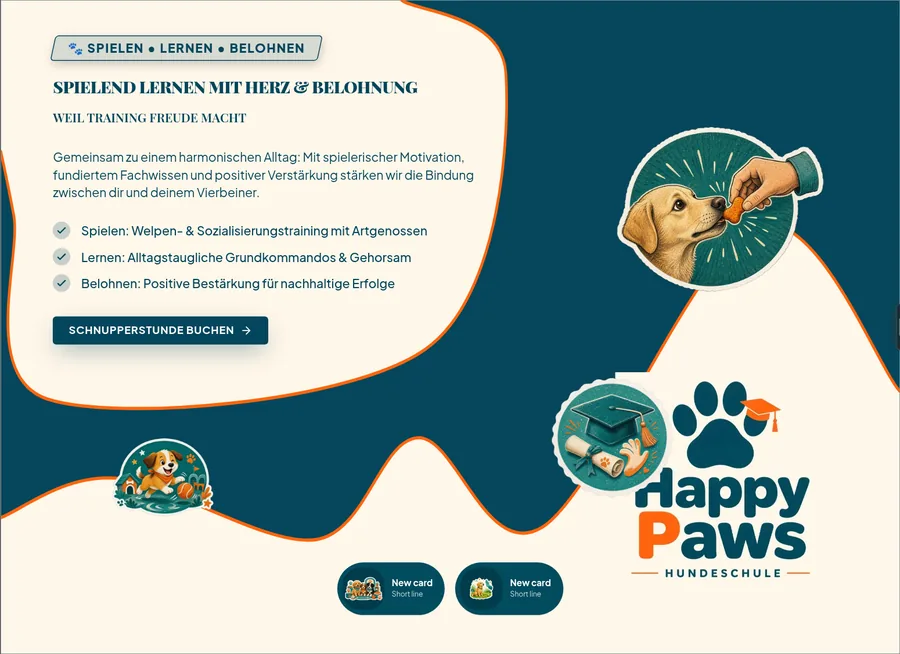
Dog School preset in the tablet view
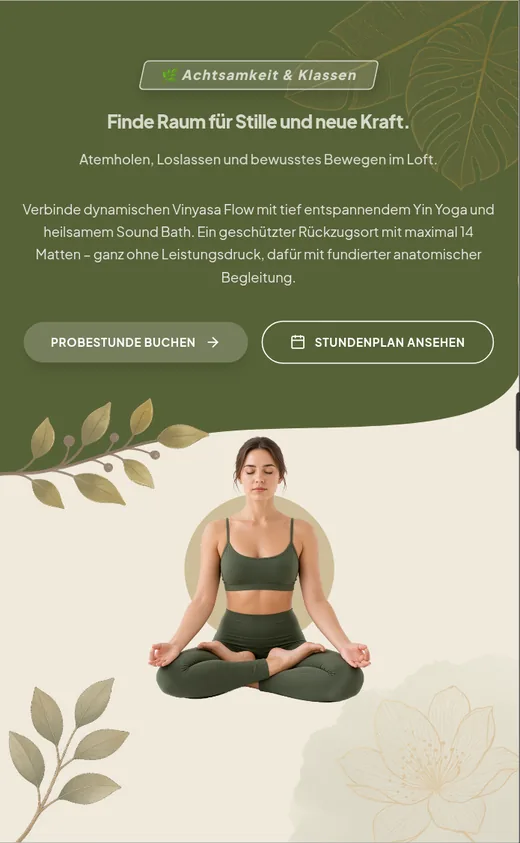
Yoga Loft preset in the mobile view
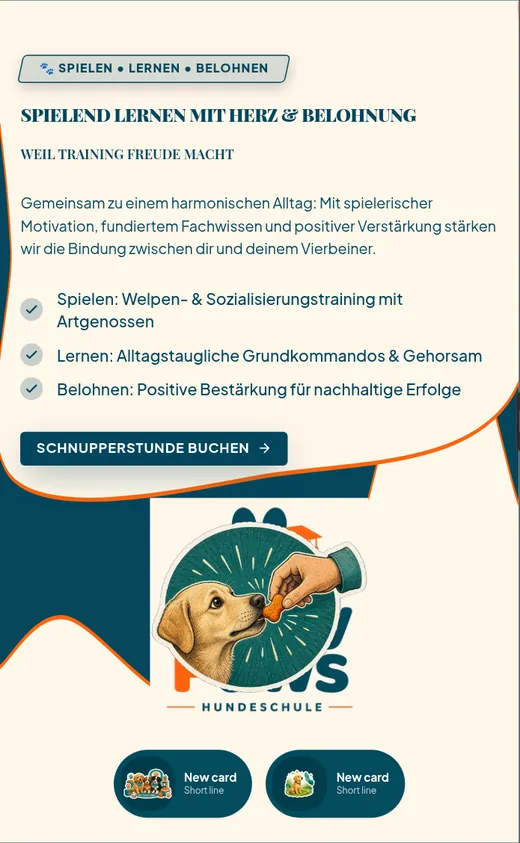
Dog School preset in the mobile view
Hero section inspiration

Three presets to start from.

Looking for hero section inspiration? Open a preset, change the palette and move one form. That is often all it takes to find a direction.

Lava Wave hero preset
Hero 1

Lava Wave

A product hero: one warm lava form, a potted plant as cut-out object and three feature cards.

Yoga Loft hero preset
Hero 2

Yoga Loft

A studio hero: a soft green form, botanical objects, a portrait cut-out and a logo mark.

Dog School hero preset
Hero 3

Dog School

A local business hero: a framed content block, a deep wave, illustrated objects, a logo and cards.

Hero section ideas you can build

01Product spotlight

A cut-out product next to the headline, with a wave edge that leads the eye to it.

02Split hero

A form fills the left side for the copy, an object or portrait fills the right.

03Framed portrait

A Roman arch or blob shape with an image fill frames a person or a product.

04Section transition

A form anchored to the bottom corners flows softly into the next section.

05Trust hero

Badge, bullets and a logo bar under the headline, a good fit for local businesses.

06Calm motion

Live motion on a single form, a gentle float on one object, everything else still.

Workflow

From studio to WordPress in three steps.

01

Design

Open the studio, pick one of the three presets or load the default form, then shape forms, content, objects and shapes on the live stage.

02

Save and export

Save your design as a named form, autosave keeps the draft. Export the JSON as a file or copy it to the clipboard.

Locally uploaded images are not part of the file. Upload the object image again in your builder, or use an image URL.

03

Import

Import the JSON into the Free Flow module of your page builder. The hero renders on your site with the forms, content and objects you designed.

Beaver Builder Released Gutenberg Released Breakdance Released Elementor Released Divi 5 Released
FAQ

Questions about the studio

What is Free Flow Hero & Section Studio?

A browser based generator for hero section design inside Motion Modules. You shape wave forms, content, objects, cards and closed shapes on a 1906 px stage and export the result to WordPress.

Is it only for hero sections?

No. The same forms and shapes work for any full width section, for example a wave transition into your services or a framed product block.

Which page builders can import it?

Beaver Builder, Gutenberg, Breakdance, Elementor and Divi 5 are released for this module. I ship the Free Flow module in each Motion Modules plugin, so you import the same JSON in every builder.

Do I need to code?

No. Every form, text, image and color is a control in the settings or a drag on the stage.

What happens to images I upload?

Locally uploaded images are not included in the export file. Upload the object image again in your builder, or use an image URL in the studio.

How is it different from the other hero modules?

The other hero modules are fixed effects that you configure. Free Flow is a free layout generator: you decide the shape and the whole composition.

Can I try it first?

Yes. You can play with the studio from the library, and the app includes a 14-day trial with no card required. One license covers all 85 modules and unlimited websites.

Ready?

Design the unusual.

Open the studio, drag the first point and watch your hero take shape.