Split Accordion
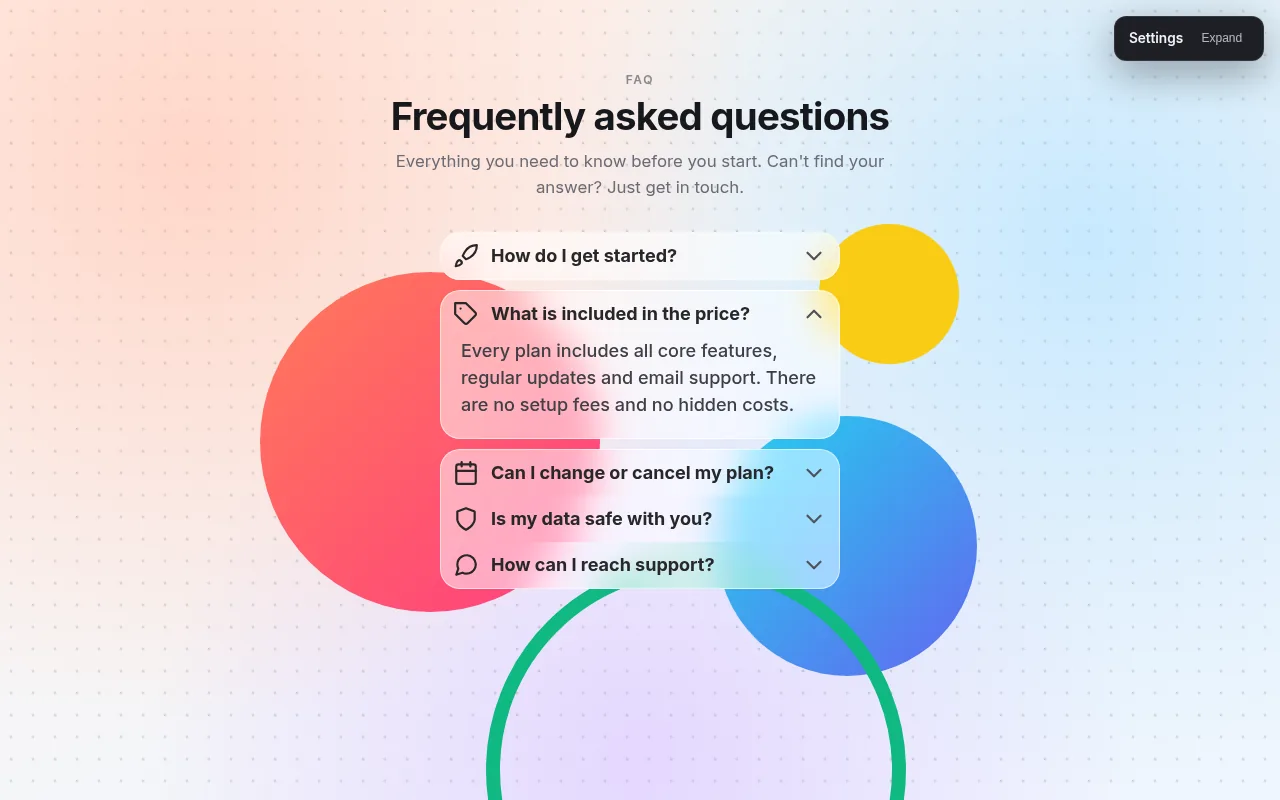
The open FAQ item splits away from the stack on spring physics, with icons and optional FAQPage schema.
Open live demoI built Motion Modules as a WordPress accordion and FAQ plugin with motion that serves reading order. Its 6 modules cover interactive spring FAQ stacks, expandable client case studies, horizontal image accordions and scroll-driven panels, all native in Divi 5, Elementor, Gutenberg, Breakdance and Beaver Builder. Try two of them live on this page.
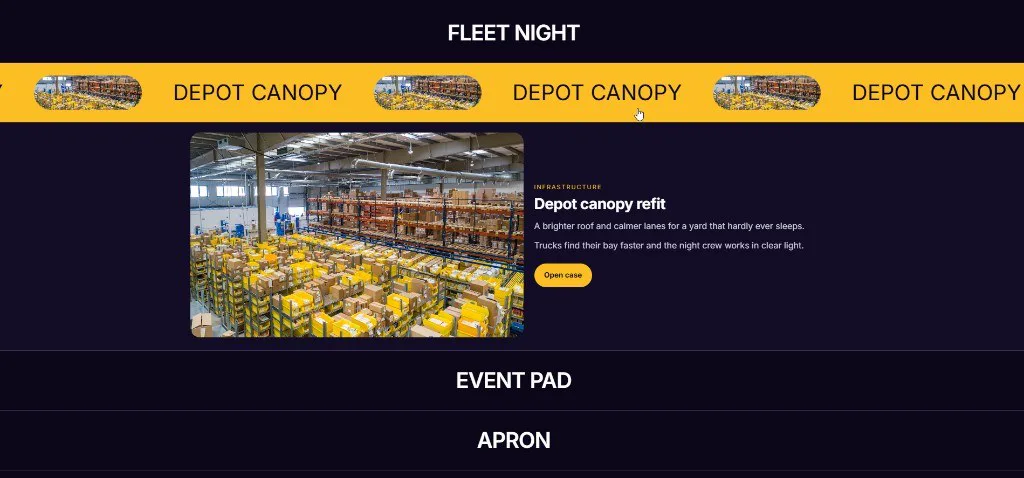
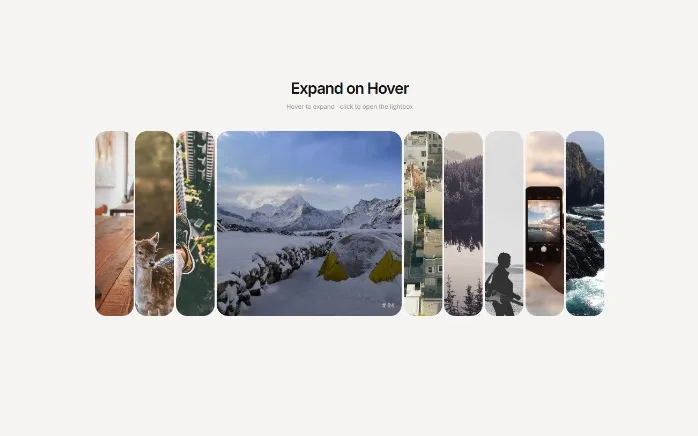
All 6 modules below are released for Divi 5, Elementor, Gutenberg, Breakdance and Beaver Builder in the Builder Matrix. Each demo opens in a new tab.
Swipe the demo rows left or right on a phone.
Two of the modules run live on this page. Click through questions and portrait strips, then explore every demo below.
Interactive text and case study accordions: a spring FAQ stack with optional schema markup, and portrait strips that open into story cards with counted outcomes.
The open FAQ item splits away from the stack on spring physics, with icons and optional FAQPage schema.
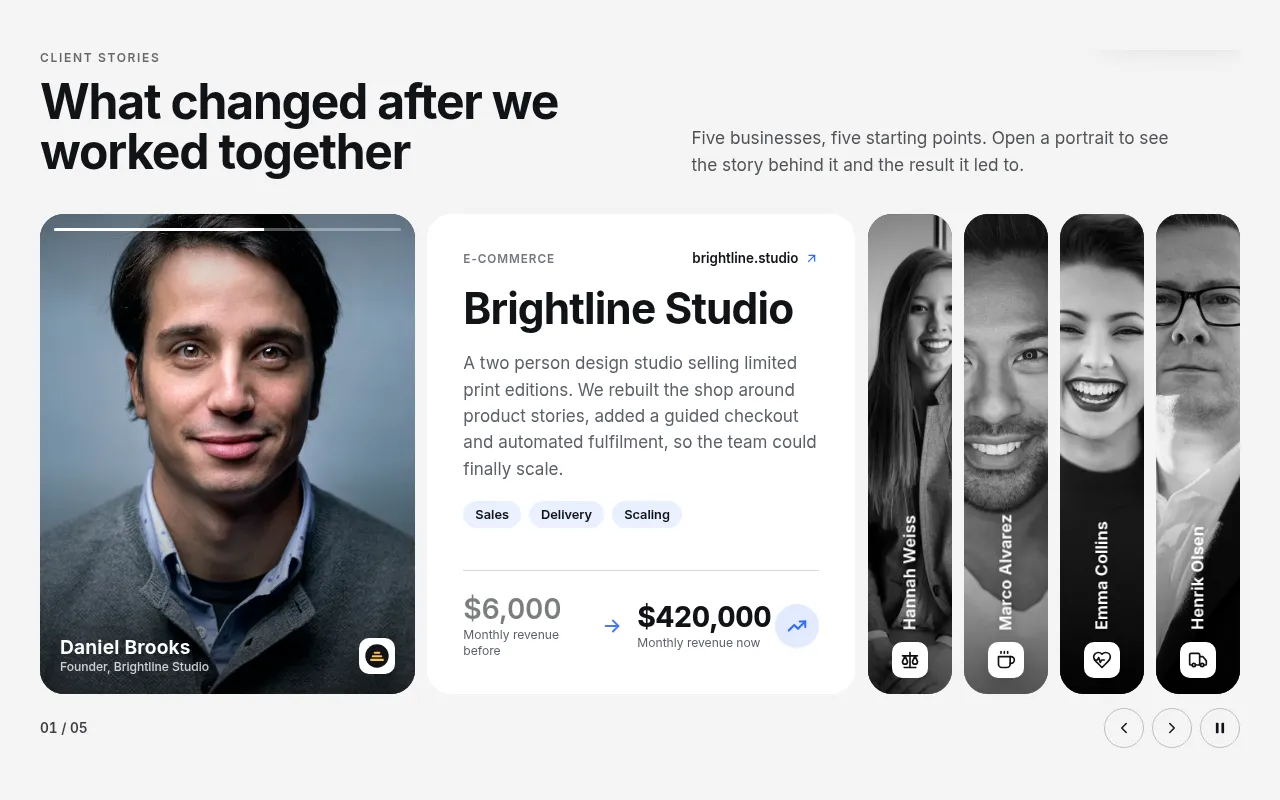
Open live demoMonochrome client portraits expand into full color beside a story card and animated before-and-after numbers.
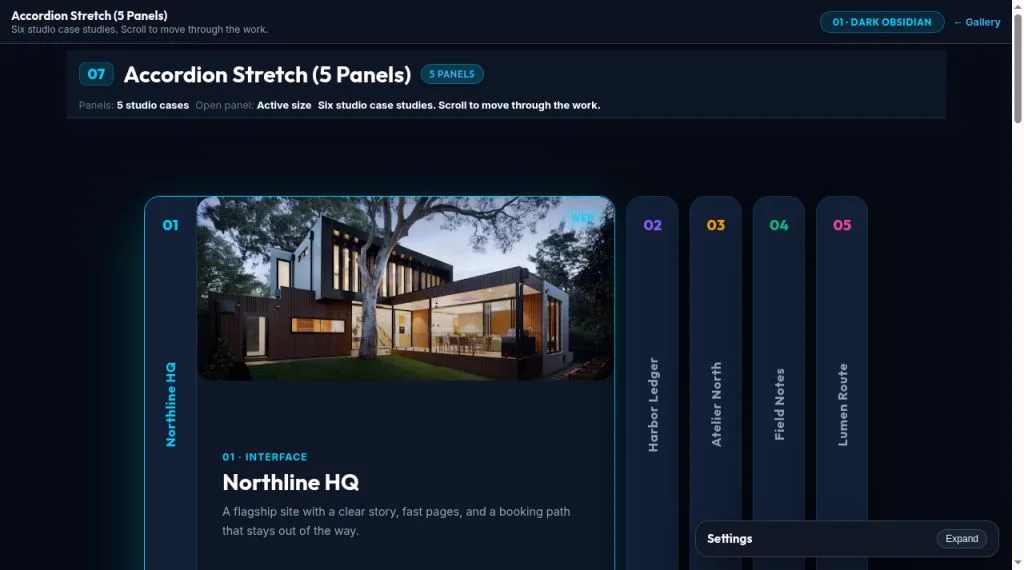
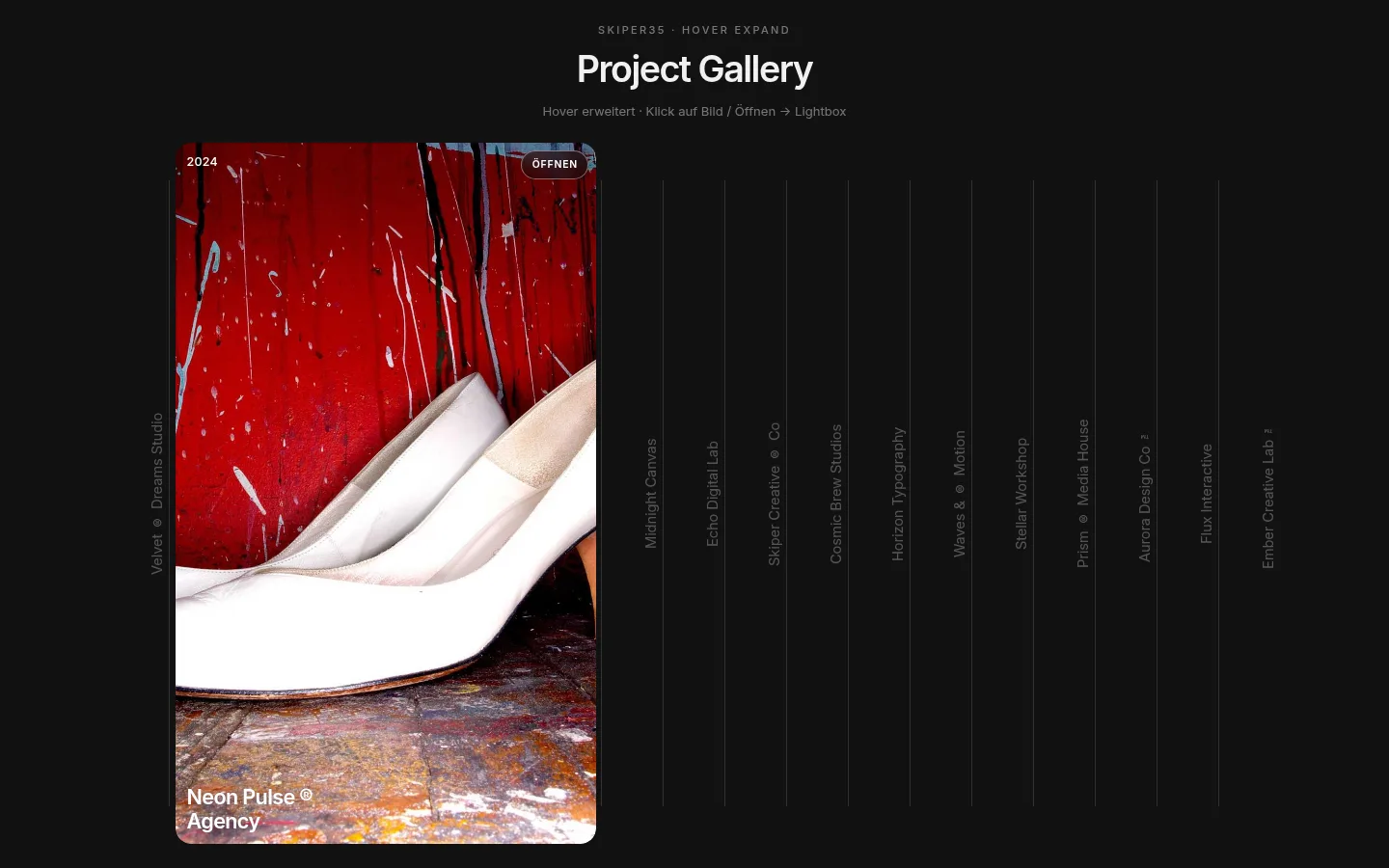
Open live demoVisual accordion layouts for galleries, services and project lists: hover-expanding strips, scroll-driven panels and flowing menu rows.
One image tile opens cleanly while neighbouring tiles fold narrow.
Open live demoPanels stretch open smoothly as visitors scroll through the section.
Open live demoRows reveal a running visual band when hovered, keeping long service lists scannable.
Open live demoThree simple steps from the demo to a live FAQ or image accordion on your WordPress site. I test every module in each supported builder before release.
Choose Split Accordion for structured FAQs, Spotlight Story Accordion for client results or image panels for visual showcases in the library.
Edit titles, answers, icons, portraits, metrics, single-open mode, spring stiffness and palette in the visual editor without writing code.
Export the saved module and insert it in Divi 5, Elementor, Gutenberg, Breakdance or Beaver Builder using the dedicated Motion Modules plugin.
Supported builders: Divi 5, Elementor, Gutenberg, Breakdance and Beaver Builder. Divi 4 is not supported.
Long FAQ lists blur together when an expanded answer sits flush inside a tight stack. In Split Accordion, opening a question physically lifts it away from its neighbours with spring physics and rounded corners, so visitors immediately see where one answer ends and the next question begins.
Static FAQ toggles answer objections, while Spotlight Story Accordion turns client results into interactive proof: narrow monochrome portrait strips open into color alongside a structured story card, tags and before-and-after metrics. Both run cleanly side by side on pricing or service pages.
Instead of maintaining separate FAQ and gallery plugins for Gutenberg sites, Elementor builds and Divi 5 client sites, you design each accordion once in Motion Modules and insert the exported setup directly as a Gutenberg block, Elementor widget, Divi module, Breakdance element or Beaver Builder module.
Split Accordion keeps question triggers keyboard-navigable with clear expanded states and optional FAQPage JSON-LD matched directly to visible questions. Image and story accordions adapt cleanly to compact mobile screens and reduced-motion preferences.
| Builder | Status | How you insert it |
|---|---|---|
| Divi 5 | All 6 accordion modules released. | Activate Motion Modules for Divi and insert the module in the Divi 5 Visual Builder. |
| Elementor | All 6 accordion widgets released (Free & Pro). | Activate Motion Modules for Elementor and add the widget from the panel. Elementor accordion widgets |
| Gutenberg | All 6 accordion blocks released. | Activate the Gutenberg plugin and add the WordPress accordion block directly in the block editor. All Gutenberg blocks |
| Breakdance | All 6 accordion elements released. | Activate Motion Modules for Breakdance and add the element in the Breakdance editor. All Breakdance elements |
| Beaver Builder | All 6 accordion modules released. | Activate Motion Modules for Beaver Builder and add the module in the Beaver Builder editor. All Beaver Builder modules |
Split Accordion keeps five to ten common questions compact while giving the open answer breathing room. Enable icons for quick scanning, single-open mode for focus and FAQPage schema when questions should appear clearly to search engines.
Spotlight Story Accordion lets visitors click through five client transformations without leaving the section, revealing an industry label, link, summary, tags and a counted before-and-after metric.
Image Accordion Gallery, Expanding Image Accordion, Scroll Accordion Panels and Flowing Menu Portfolio present multiple visuals or capabilities inside one compact horizontal band that expands on hover, tap or scroll.
All 6 accordion and FAQ modules are released for Divi 5, Elementor, Gutenberg, Breakdance and Beaver Builder. One licence covers every builder and unlimited websites. Divi 4 is not supported.
Yes. Each item opens and closes interactively with spring spacing, supports optional icons and keyboard navigation, and can output FAQPage schema matching your visible questions and answers.
Yes. Install the Gutenberg plugin of Motion Modules, paste your saved export from the editor and drop the accordion block straight into the WordPress block editor without custom CSS or JS.
Yes. Typography and padding adapt per breakpoint, Spotlight Story Accordion switches cleanly to a mobile stack, and every runtime respects reduced-motion preferences.
Yes. You can register for the 14-day free trial without a credit card and test all 85 modules in your own WordPress builder. Afterwards a single licence costs 69 € per year, or 149 € once during the Early Adopter phase until December 31, 2026.
Looking for more WordPress categories? See the WordPress parallax plugin, WordPress timeline plugin, WordPress slider plugin, WordPress gallery plugin and WordPress team members plugin. Building with Divi or Elementor? Read my guides to Divi accordion modules and Elementor accordion widgets. For individual builders, explore Elementor widgets, Gutenberg blocks, Breakdance elements and Beaver Builder modules, or open the Motion Modules Library.
One licence covers all 85 modules, every builder and unlimited websites. Start with the free 14-day trial, no credit card required.