Split Accordion
The active FAQ item detaches into its own card with icons and optional FAQPage schema.
Open live demoOpen up FAQs, client stories, images, service panels and project rows. These six Divi accordion modules range from structured FAQ lists with detached active cards and optional FAQPage schema to interactive portrait stories and expanding image galleries.
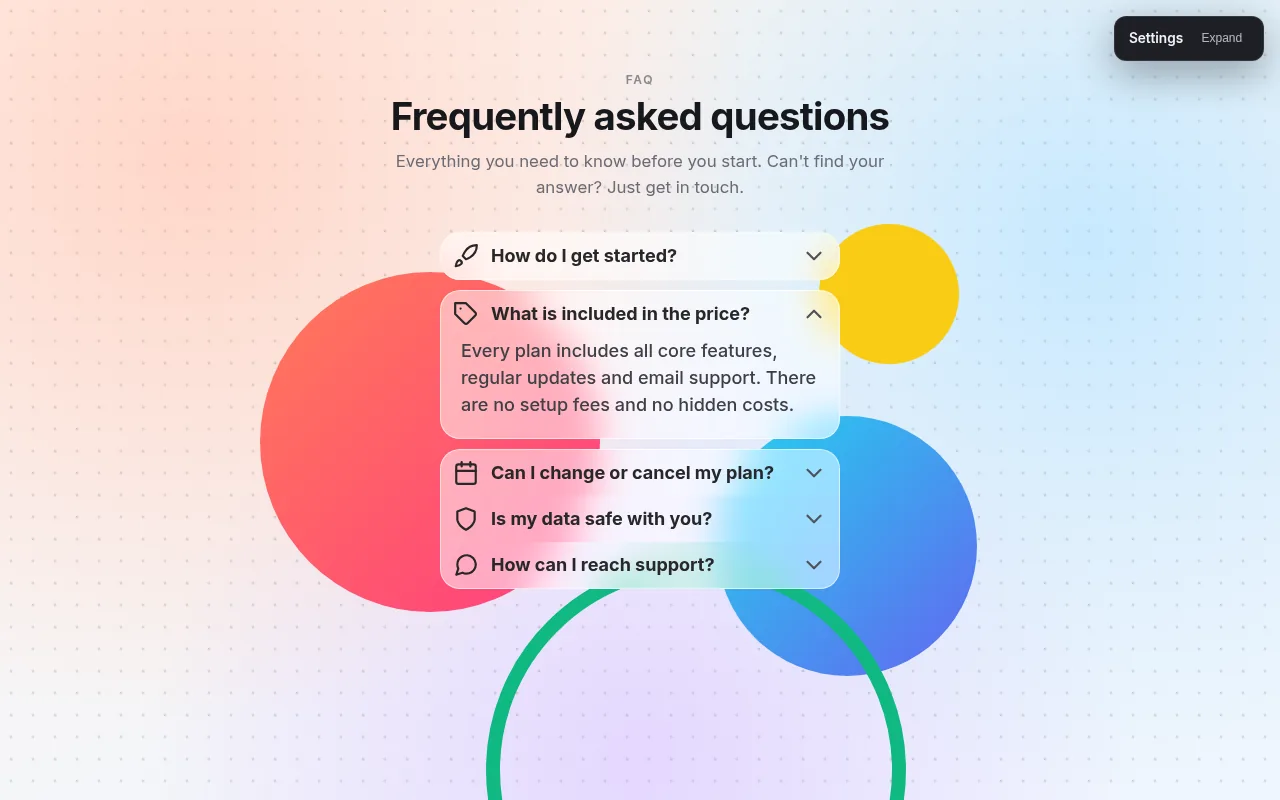
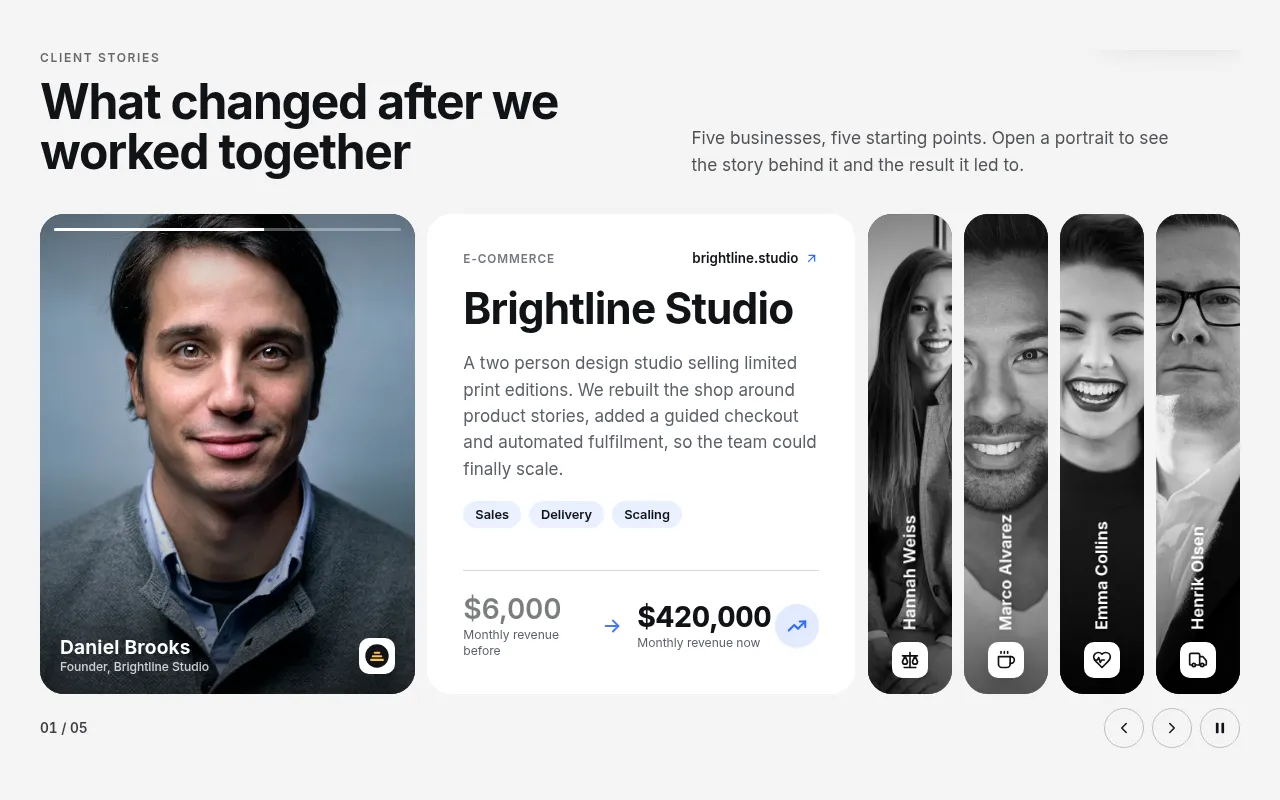
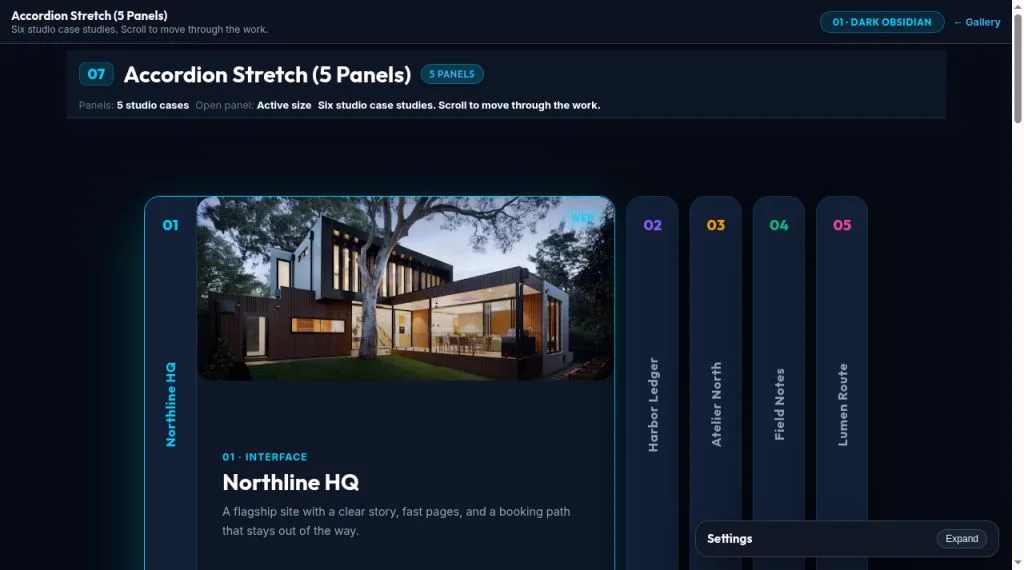
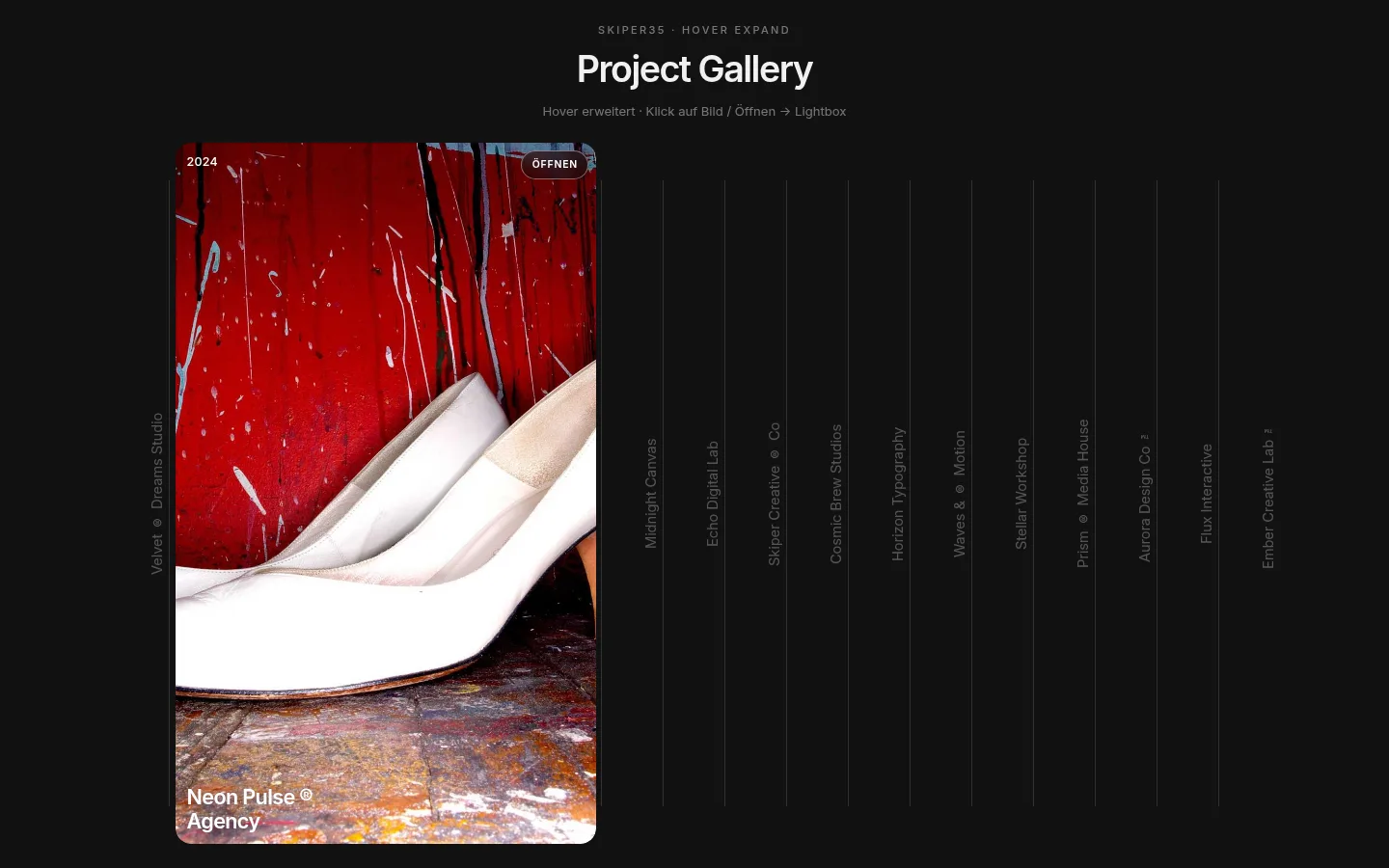
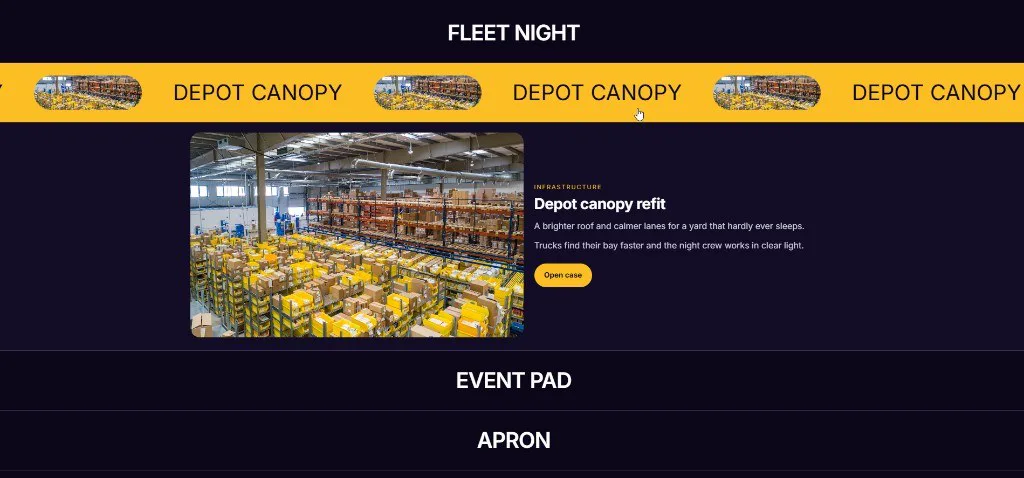
An accordion keeps a page compact by showing a heading first and revealing more content when it is opened. Most people looking for a Divi accordion want a tidy FAQ, a service description or a set of customer stories. Divi already has built-in Accordion and Toggle modules for minimal text lists. When you want a distinct visual cadence, Split Accordion detaches the open question into its own rounded card with icons, single-open or multi-open control and optional FAQPage JSON-LD schema. Spotlight Story Accordion turns narrow portrait strips into a full story card with tags, links and optional before and after metrics.
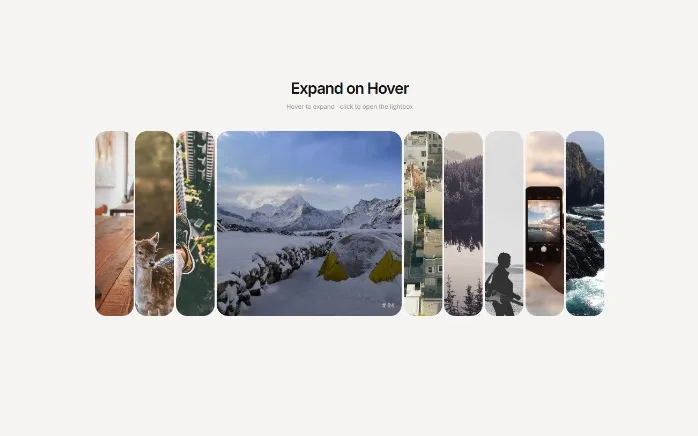
An image accordion is useful when photographs deserve the first impression. Image Accordion Gallery widens a selected panel and offers automatic, horizontal and vertical orientation. Expanding Image Accordion gives one image more width in a horizontal strip. Scroll Accordion Panels is different again: its panels stretch as the page scrolls, so it suits an ordered sequence of services rather than a list of independent questions. Flowing Menu Portfolio opens a project row into a richer detail area. Choose the interaction that matches your material before adjusting colors or animation timing.
Prepare short labels that identify each panel without depending on the image being expanded. A visitor should understand the choices before interacting. Use original photographs, descriptive alt text and a clear destination where a panel links to a case study. Keep essential contact details and your main call to action outside any collapsed detail. If the panel is a teaser, the expanded content should add context rather than repeat its title. In a project accordion, one concise outcome can communicate more than a long paragraph of general claims.
Pick your module in the library and customize it in the Motion Modules editor. Set the content first, then review the available layout controls for that exact module. Import through Motion Modules for Divi into a Divi 5 section and check how it fits beside surrounding content. Test at phone width, with a keyboard where appropriate and with reduced motion enabled. A hover-led desktop composition needs a usable touch interaction too. Avoid forcing a narrow horizontal strip onto a small screen when an automatic or vertical layout communicates the same content more clearly. Open every panel during your review, not only the first one.
All 6 modules below are released for Divi 5 in the Builder Matrix. Open a demo to test the actual interaction, then customize it in the editor.
On a phone, swipe each row left or right.
Two of the modules run live on this page. Try them out, then explore every demo of this category below.
The active FAQ item detaches into its own card with icons and optional FAQPage schema.
Open live demoPortrait strips open into a story card with tags, links and optional outcome metrics.
Open live demoThree simple steps from the demo to a live section on your Divi site. I test every module in the Divi 5 Visual Builder before it is released.
Choose it in the Motion Modules Library, complete with a live preview on desktop and mobile.
Adjust copy, images, colors, timing and layout without writing a line of code.
On your first login the account asks for your builder. Choose Divi, download the Motion Modules for Divi plugin and activate it. Then insert any module from the Motion Modules folders in the Divi 5 Visual Builder.
Requires Divi 5. Divi 4 is not supported. Install and activate Motion Modules for Divi before importing your customized module.
Many Divi users search for a Divi toggle module when they actually want an interactive FAQ or collapsible section. Here is how the built-in Divi Toggle, the built-in Divi Accordion and Motion Modules differ.
| Difference | Built-in Divi Toggle | Built-in Divi Accordion | Motion Modules |
|---|---|---|---|
| Structure | One standalone collapsible item for a single note, checklist or extra specification. | A connected list of toggles where clicking one item closes the previous answer. | Split Accordion offers both modes inside one FAQ module, while Spotlight Story Accordion and the image accordions handle visual panels. |
| Single or multi open | Stays open or closed independently, so multiple toggles can remain expanded at once. | Only one panel stays open at a time, while visitors can collapse the active item. | Toggle between single-open and multi-open mode right in the editor with spring physics and detached active card styling. |
| Divi FAQ and schema | Plain title and text block without built-in FAQ structured data. | Standard stacked panels for straightforward Q&A sections without rich layout motion. | Split Accordion generates optional FAQPage JSON-LD schema so your Divi FAQ stays structured without extra markup plugins. |
| Scope boundary | Meant for collapsible text content, not binary UI settings switches. | Best for plain text questions when your theme typography alone is enough. | I keep interactive UI on/off switches separate under buttons and controls so accordion pages focus on expandable content. |
| Requirement | Built-in Divi | Motion Modules |
|---|---|---|
| Text FAQ | Accordion and Toggle are built-in choices for simple expandable text lists. | Split Accordion detaches the active question into its own card with single-open or multi-open mode, icons and optional FAQPage JSON-LD schema. |
| Visual stories and selection | Use native controls when a plain toggle already meets the brief. | Spotlight Story Accordion pairs portrait strips with outcome cards, while image and project accordions expand photographs and case details. |
| Scroll sequence | An ordinary text toggle waits for a visitor to open it. | Scroll Accordion Panels changes as the visitor moves through the page. It is not a click-to-open FAQ. |
Use Split Accordion for structured FAQ blocks where the open answer should stand out visually from the closed list, with optional FAQPage schema and single-open or multi-open control. Choose Spotlight Story Accordion for client stories, destinations or case highlights that pair a portrait or photo strip with a detail card and optional before and after metrics. Use Image Accordion Gallery when visitors should compare a set of photographs and choose a view, with orientation controls for desktop and phone layouts. Choose Expanding Image Accordion for a compact horizontal image treatment, keeping the image count manageable and testing the labels. Choose Scroll Accordion Panels for a guided service sequence in which the reading order matters. Choose Flowing Menu Portfolio when the closed rows should read like a project index and the expanded section needs more than a photograph. I recommend comparing the live demos with real content rather than choosing only by the animation in a thumbnail. A short list of well-labelled panels is often clearer than a large collection that demands repeated interaction.
Image Accordion Gallery has automatic, horizontal and vertical orientation. Scroll Accordion Panels also exposes orientation controls. Split Accordion is a vertical FAQ list, while Spotlight Story Accordion and Expanding Image Accordion arrange their panels horizontally on desktop and adapt for narrow screens. Orientation is module-specific, so check each editor rather than expecting one global switch.
Yes. Split Accordion includes a single-open or multi-open toggle for FAQ items, and Flowing Menu Portfolio has a one-open option for its project rows. Spotlight Story Accordion and the image accordions keep one active panel expanded, while Scroll Accordion Panels is driven by scrolling.
Yes. Split Accordion is built for structured text FAQs and answers, with detached active cards, single-open or multi-open mode, icon options and optional FAQPage JSON-LD schema. Spotlight Story Accordion covers client stories and testimonials, while the built-in Divi Accordion or Toggle module remains a simple choice for minimal unstyled text lists.
Split Accordion stacks cleanly at any screen width, and Image Accordion Gallery switches to a vertical arrangement in its automatic phone layout with touch support. Spotlight Story Accordion and the other visual modules each have their own responsive behaviour. Check the live demo with your real labels and test the imported Divi page on a real phone.
Yes. Install and activate Motion Modules for Divi on a Divi 5 site. Divi 4 is not supported. Start in the editor, try your own content and check the imported result during the 14-day trial before deciding whether the module suits your project.
Use the built-in Divi Toggle or Accordion when you only need a plain collapsible list. Choose Split Accordion as a Divi FAQ module when you want the open answer to detach visually from the stack, switch between single-open and multi-open mode and include optional FAQPage JSON-LD schema. Note that a classic UI on/off switch belongs under buttons and controls rather than a FAQ toggle.
Also available for Elementor (including Elementor accordion widgets), Gutenberg, Breakdance and Beaver Builder. Check each module's released builder list in the Motion Modules Library, or view the builder-neutral WordPress accordion plugin overview.
One licence covers all 85 modules, every builder and unlimited websites. Start with the free 14-day trial, no credit card required.