Animated Divi portfolio modules
Turn selected work into a story worth opening. I built these Divi portfolio modules for curated project showcases, Divi tabs and expressive transitions. Choose a presentation, add your own projects in the editor and import the result into Divi 5.

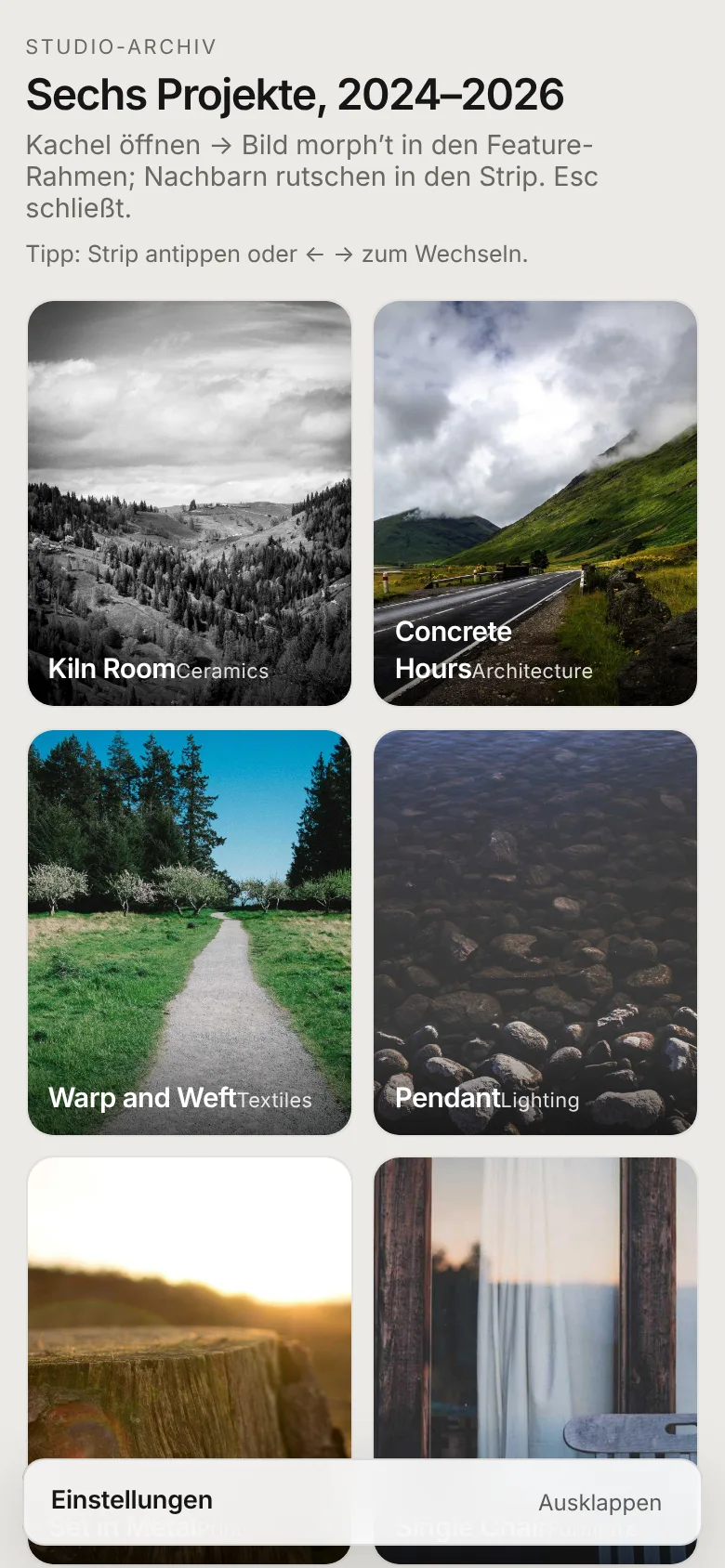
How to build a portfolio page in Divi 5
Curate projects before choosing a layout
A portfolio should help a potential client understand what you do and why your work is relevant. Start with a small selection of projects that represent the work you want more of. Give each one a useful title, a strong cover image and a short statement about the brief or outcome. Keep the order deliberate: the first project establishes the standard for the rest. These modules present manually curated content. They are not an automatic WordPress project archive, so plan how you will maintain the selection when your work changes.
Match the presentation to the project story
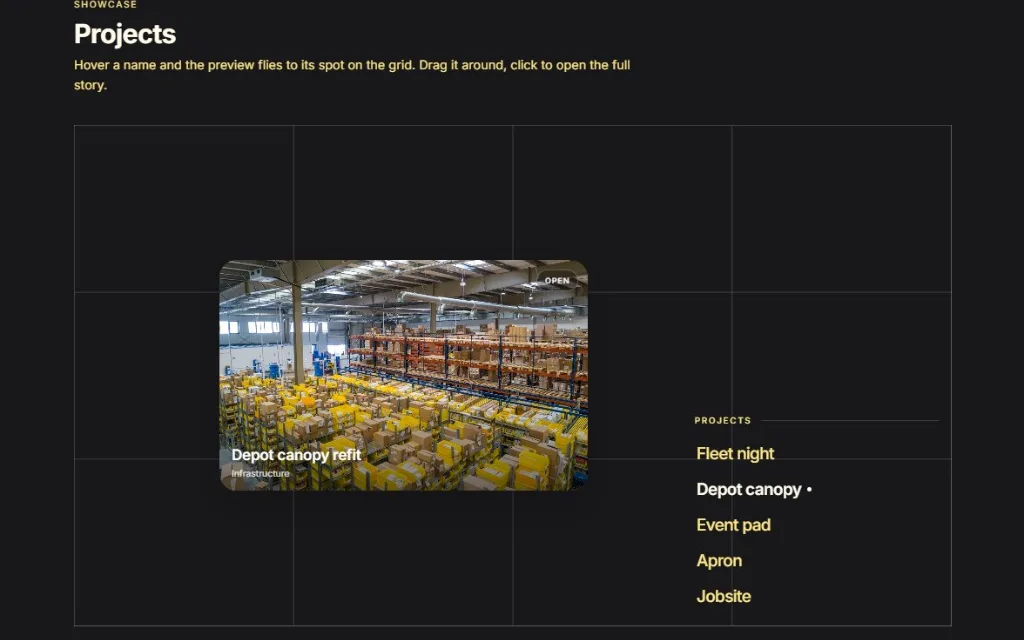
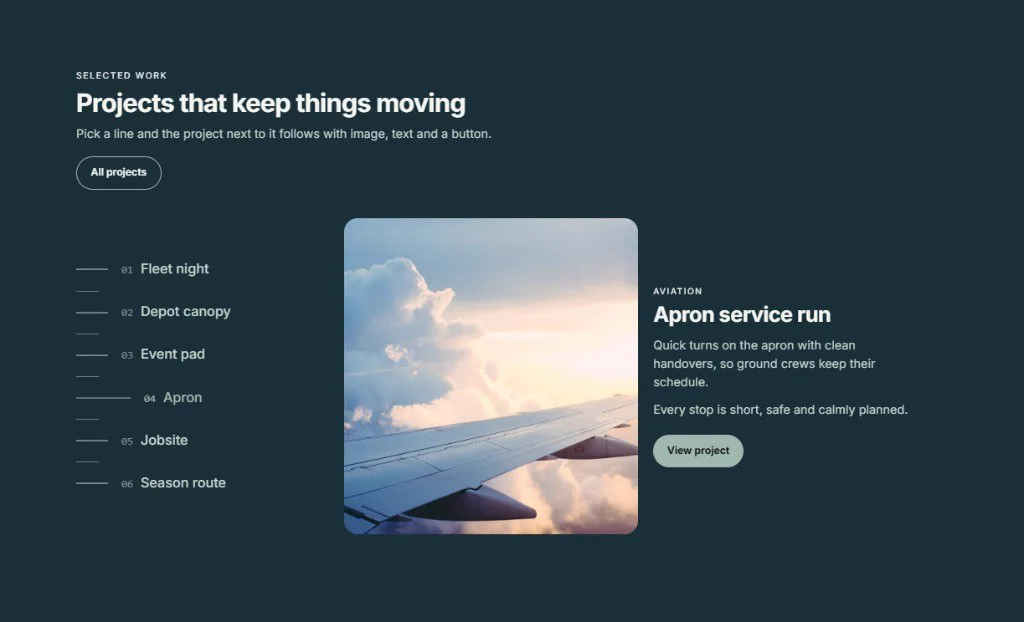
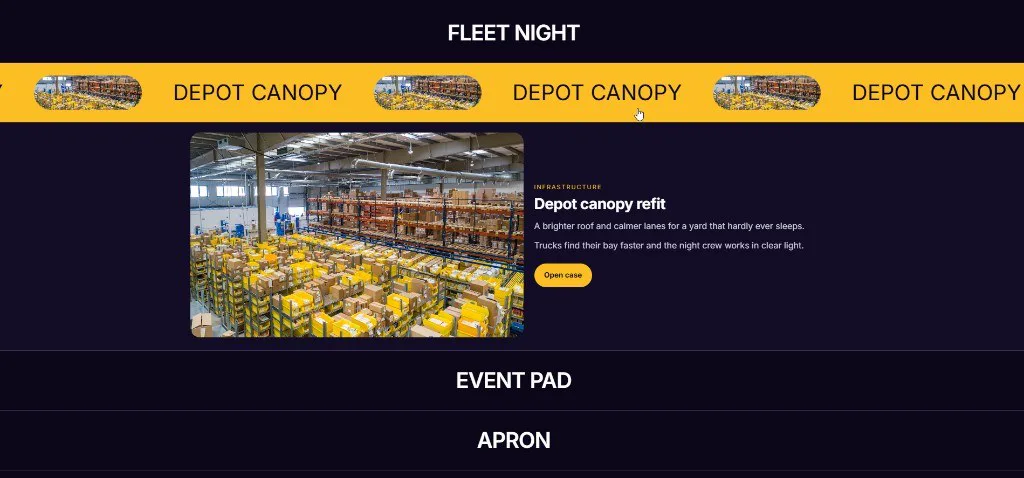
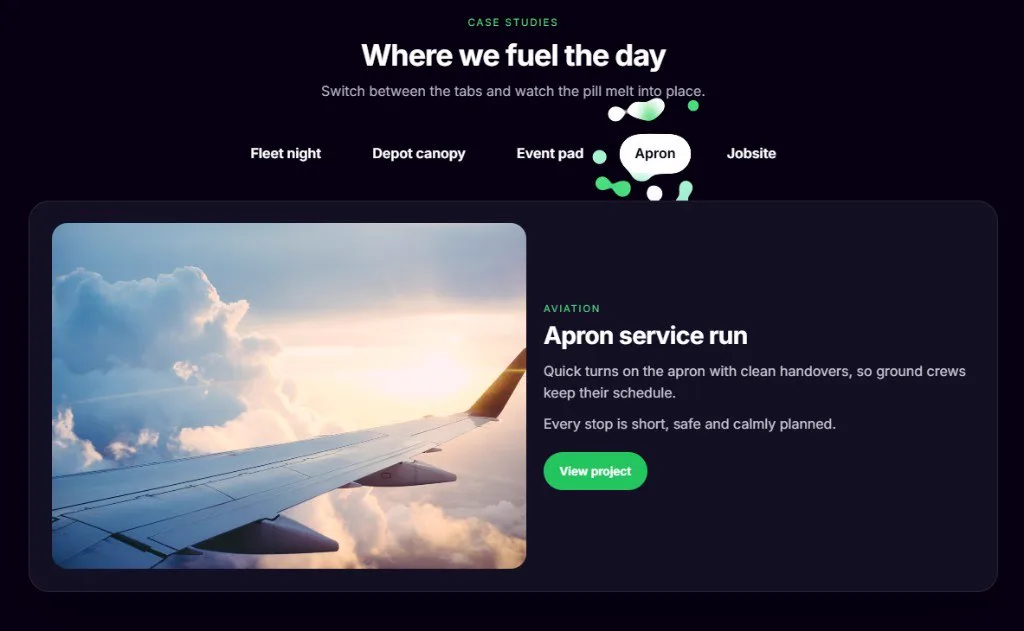
Creative Portfolio Showcase makes project names and previews part of the same browsing experience. Portfolio Line Sidebar and Focus Portfolio guide attention to a selected piece of work. Flowing Menu Portfolio suits an index of rows that opens into project content. Gooey Nav Portfolio uses animated tabs to switch the selected project panel, while Portfolio Layout Morph transforms an image grid into a featured stage. Choose the structure that makes the work easiest to understand. A compact case study selector serves a different purpose from a large collection of equally weighted thumbnails.
Prepare images and case study links
Use consistent cover images where the chosen layout benefits from a shared shape, but check how each photograph is cropped before publishing. Put meaningful alt text in the image fields and make project labels specific enough to scan. Where the module exposes a link, point it to the relevant case study rather than sending every project to the contact page. The detailed case study can explain the challenge, your role and the result. Keep those pages accessible through ordinary navigation as well, so the animated portfolio is a presentation layer rather than the only route to important information.
Import, check mobile and keep it current
Customize the selected module in the Motion Modules editor, then import it through Motion Modules for Divi into your Divi 5 layout. Test every project selection, destination link and expanded detail. Review the page on a phone with your real titles and images, not just the sample content. A long project name can change the balance of a sidebar or tab row. Revisit the selection periodically, replace weaker work and verify that older case study links still resolve. A focused portfolio with current projects is more useful than a dramatic layout full of outdated material.
Explore the live demos
These modules are released for Divi 5 in the Builder Matrix. Open a demo to test the actual interaction, then customize it in the editor.
On a phone, swipe each row left or right.
Try them right here
Two of the modules run live on this page. Try them out, then explore every demo of this category below.
Divi tabs 3
Focus Portfolio, Flowing Menu Portfolio and Gooey Nav Portfolio are my main Divi tabs: visitors pick a label or a row and the selected project content appears with motion. Use one of them as an animated Divi tabs module whenever a short list of choices should open real content.
In the library ↗Flowing Menu Portfolio
Every project row works like a tab and opens its content in place.
Open live demoPortfolio and creative tabs 3
The same idea with a freer layout. A hover preview, a glowing sidebar or a morphing grid decides which project takes the stage.
How it works in Divi 5.
Three simple steps from the demo to a live section on your Divi site. I test every module in the Divi 5 Visual Builder before it is released.
-
01
Pick a module
Choose it in the Motion Modules Library, complete with a live preview on desktop and mobile.
Screenshot: Motion Modules Library -
02
Customize in the editor
Adjust copy, images, colors, timing and layout without writing a line of code.
Screenshot: Motion Modules editor -
03
Import into Divi 5
On your first login the account asks for your builder. Choose Divi, download the Motion Modules for Divi plugin and activate it. Then insert any module from the Motion Modules folders in the Divi 5 Visual Builder.
Screenshot: Divi 5 Insert Module dialog
Requires Divi 5. Divi 4 is not supported. Install and activate Motion Modules for Divi before importing your customized module.
What Divi already does well
| Requirement | Built-in Divi | Motion Modules |
|---|---|---|
| Project source | Divi Portfolio is designed around WordPress projects. | These modules use a curated list of projects edited for the selected showcase. |
| Category filters | Need category filters? Divi's built-in Filterable Portfolio module does that. | These modules focus on motion and storytelling. They do not filter projects by category. |
| Tabs and transitions | Divi has its own Tabs module for conventional tabbed content. | Focus Portfolio, Flowing Menu Portfolio and Gooey Nav Portfolio work as animated tabs for projects; Layout Morph transforms the project image arrangement. |
Portfolio as horizontal scroll
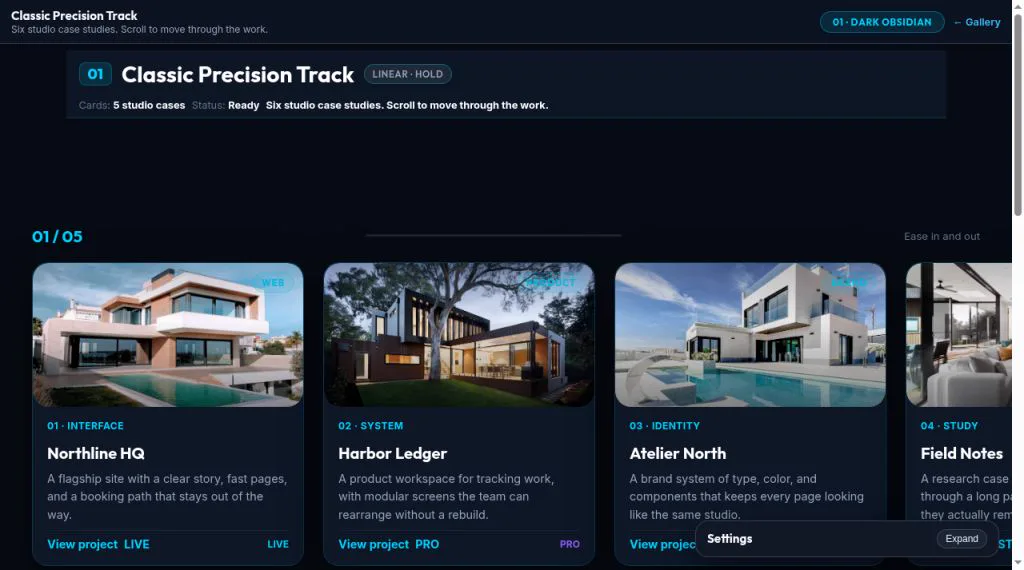
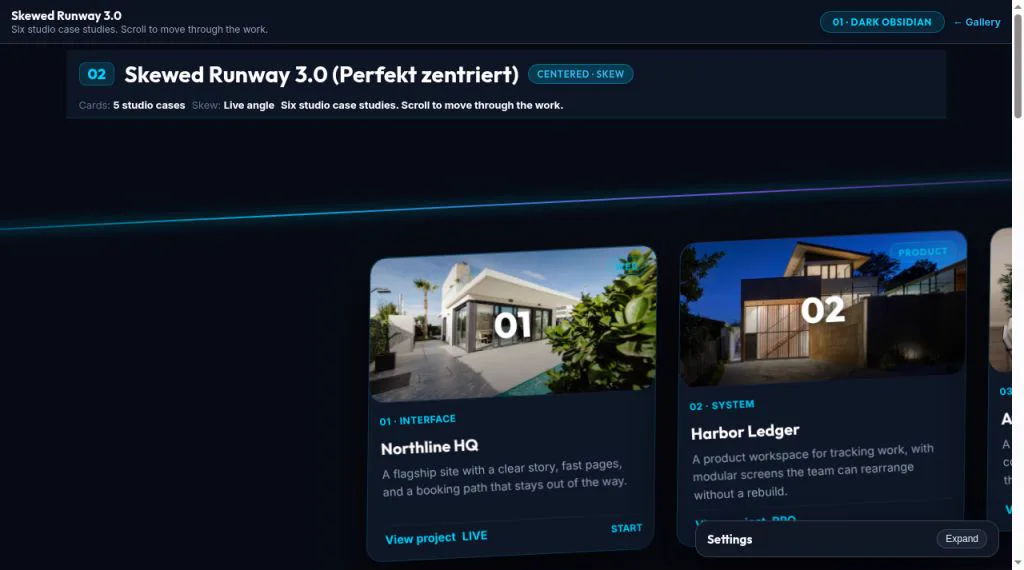
A portfolio does not have to be a grid. Classic Precision Track, listed in the library as Classic Horizontal Scroll, moves a sequence of panels sideways as the page scrolls. Skewed Runway, listed as Skewed Horizontal Scroll, adds a leaning treatment to that journey. Both are released for Divi and can present selected work as a sequence. They are horizontal scroll modules, not category filters or automatic project queries. Use them when the order of the panels contributes to the story. Keep each project concise, give the sequence a clear ending and test the phone behaviour before making it the main way visitors browse your work. If the project list needs to stay scannable at a glance, one of the six portfolio modules above may be the more direct choice.
Questions before you start
Do these modules filter projects by category?
No. These are curated showcases and content selectors, not category filtering tools. Need category filters? Divi's built-in Filterable Portfolio module does that; these modules focus on motion and storytelling. Do not choose an animated tab selector expecting it to query project categories.
Are projects loaded automatically from WordPress?
No. Add and maintain the selected project content in the Motion Modules editor. Use titles, images and links that fit the showcase. If you need an automatically populated archive of WordPress projects, evaluate the built-in Divi portfolio tools instead.
Can I use these modules as Divi tabs?
Yes. Focus Portfolio, Flowing Menu Portfolio and Gooey Nav Portfolio are the main tab layouts: a visitor picks a label or row and the selected project content appears. Creative Portfolio Showcase, Portfolio Line Sidebar and Portfolio Layout Morph work as freer portfolio and creative tabs. This is content selection within a curated showcase, not a category filter or a replacement for every use of the Divi Tabs module.
Can I link projects to full case studies?
Use the link fields provided by the selected module to point to your case study pages. Check the exact editor controls and test every destination after import. A readable title, useful image and concise summary should explain what visitors will find before they follow the link.
Does the portfolio work on mobile and Divi 4?
The modules have responsive layouts, but you should test your own titles, images and links at phone width. They require Divi 5 through Motion Modules for Divi. Divi 4 is not supported. The free 14-day trial lets you check the workflow with real project content.
Also available for Elementor, Gutenberg, Breakdance and Beaver Builder. Check each module's released builder list in the Motion Modules Library. Dedicated guides for those builders are not published yet.
Make Divi move.
One licence covers all 85 modules, every builder and unlimited websites. Start with the free 14-day trial, no credit card required.